
Most leaded electronics work happens with the tip set between 315 and 370 degrees Celsius, and most lead free work between 340 and 400. Set the lowest temperature that still wets the joint in two or three seconds, because anything above that shortens tip life and degrades flux before it can work.
Key takeaways
- Sn63Pb37 melts at 183 degrees Celsius and common lead free SAC alloys near 217 to 220, so lead free needs roughly 20 to 30 degrees more on the dial.
- Change tip size before temperature. A larger contact area moves far more heat than a hotter setpoint does.
- A bare hot tip oxidises within seconds. Leave solder on it whenever it is not touching work.
- Never file or sand an iron plated tip. Removing the plating exposes copper that dissolves into the solder.
- Standby settings exist to slow oxidation, so use them rather than parking a tip at full heat.
Alloy melting points and working setpoints
The setpoint is not the melting point. Solder needs to reach liquidus, but the joint also needs surplus heat so the pad and the lead climb above that number quickly, which is why working temperature sits well above where the alloy melts.
Sn63Pb37 is eutectic and melts sharply at 183 degrees Celsius. Sn60Pb40 has a pasty range of about 183 to 190, which is why it looks grainy if the joint moves while cooling. For both, 320 to 340 covers ordinary through hole and surface mount work, with 350 to 370 for larger pads and ground connections.
Lead free SAC305, the tin silver copper alloy used across most commercial assembly, melts near 217 to 220 degrees Celsius. Start around 350 to 370 and move toward 390 or 400 for heavy joints. Lead free wets more slowly and looks duller when solid, which is normal. Above roughly 400 degrees Celsius, tip plating erodes faster and most fluxes burn off before the joint reaches temperature, producing the dry looking joint people blame on the solder.
Why temperature alone does not fix a bad joint
When solder refuses to flow, the reflex is to turn the dial up, and that usually makes things worse. The three variables that actually govern the joint are contact area, thermal recovery, and flux activity.
Contact area is the biggest lever. A fine conical tip touches a pad at almost a single point, so heat transfer is poor no matter how hot it is, while a chisel or bevel tip laid flat across the pad and the lead delivers heat several times faster at the same setpoint. A little fresh solder on the tip before contact creates a thermal bridge and speeds things further.
Recovery is the station’s ability to restore the setpoint under load, which is where wattage and control loop quality show up. Flux activity has a time limit: once flux boils off, oxide reforms and solder will not wet regardless of heat. That is why a two second joint at 330 degrees Celsius beats a ten second joint at 400. The station and iron comparison covers recovery in more depth.
Tinning, oxidation and tip life
Modern tips are copper cores with iron plating over the working face and nickel or chrome on the shank to stop solder creeping up. Solder dissolves copper, so that plating is the only thing keeping the tip alive.
Oxidation is the daily enemy. A bare tip at working temperature dulls and blackens within seconds, and once oxidised it will not accept solder. The routine is simple: tin a new tip as soon as it first reaches temperature, wipe and immediately re-tin every time before setting it down, and add a fresh bead before switching off so the tip cools under a protective coat.
For cleaning, brass wool avoids the thermal shock a wet sponge causes. A damp sponge still works and removes more residue, but wring it out and expect a temporary dip after each wipe. If a tip has gone black, tip activator or tinner paste will often recover it. Filing it will not.
Two habits extend life further. Seat the tip fully into the heater and retighten it periodically, because a loose tip reads correct on the display while delivering weak heat. And use standby, since a lower idle temperature during breaks reduces oxidation dramatically over a working week.
Calibration, drift and reading the display honestly
The number on a station is a sensor reading behind the tip face, not a measurement of the working surface. Losses across the tip mean the face sits lower than the display, the gap widens with long or slim tips, and sensors drift as they age. Treat published setpoints as starting points and adjust to what you see, and if the station supports calibration against a tip thermometer, use it. A Celsius and Fahrenheit toggle helps too, since component limits are published in Celsius while many tools are marked in Fahrenheit.
Bench safety and ventilation
Flux fume is the routine exposure, not the metal. Rosin smoke is a known respiratory sensitiser, so run a fume extractor or open a window and place a small fan to draw the plume sideways away from your face. With leaded solder, keep drinks and food off the bench and wash your hands before eating. A heat resistant work surface stops a dropped tip becoming a burn mark, and tips stay hot for minutes after shutdown. Follow the manual for your station, since tip fitting, standby behaviour, and calibration differ between models.
Gear from this catalog that supports good temperature control
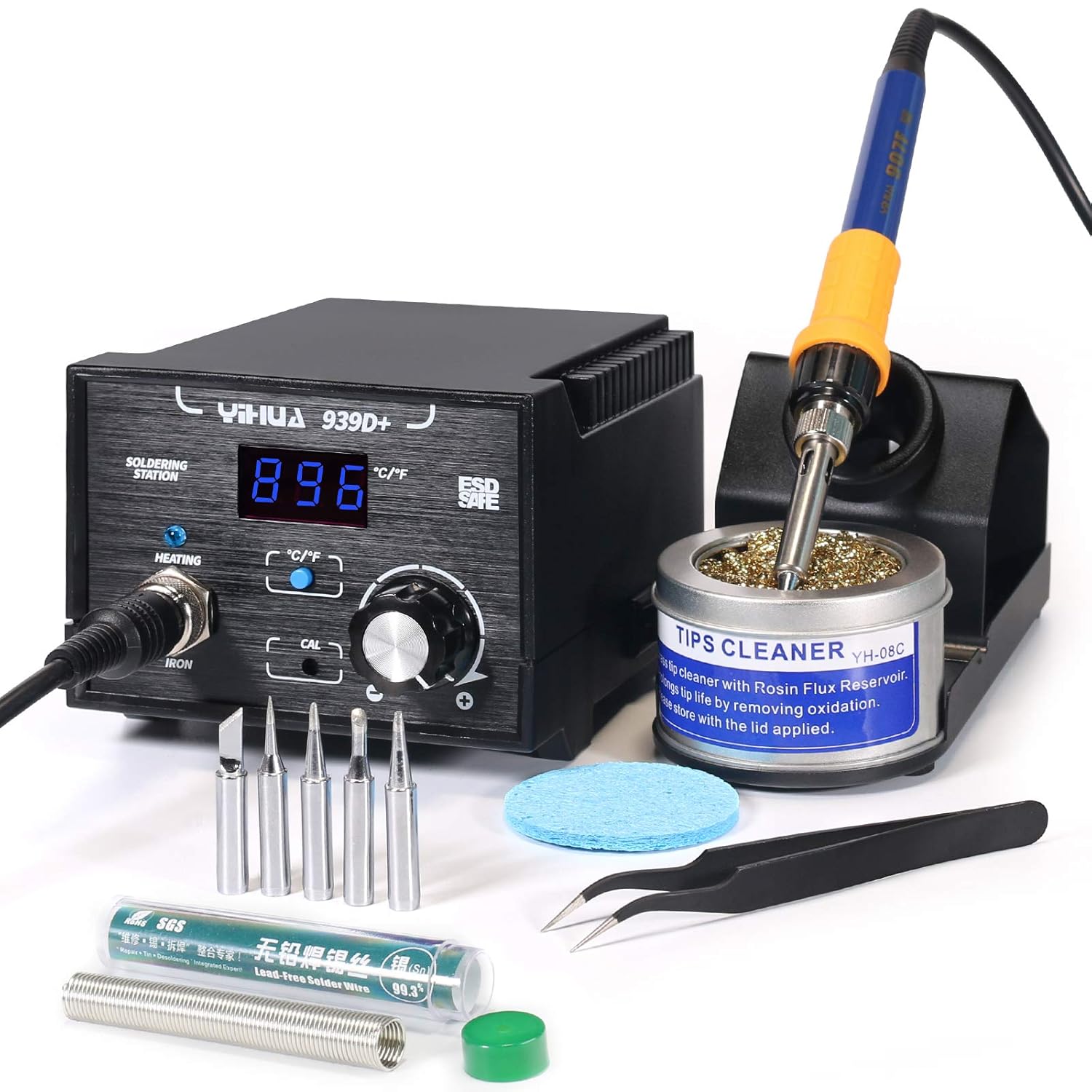
- YIHUA 939D+ digital station: roughly 392 to 896 degrees Fahrenheit, toggles Celsius and Fahrenheit, supports calibration, and drops to standby on handle detection. Suits someone who wants a readable setpoint and a way to correct drift later.
- Weller WE1010NA digital station: 70 watts with stability quoted at plus or minus 2 degrees Celsius, auto standby, setback, and a settings lock. Suits a shared bench where nobody should nudge the setpoint, though it arrives as station only.
- Weller PES51 soldering pencil: a 50 watt handpiece rated across 350 to 850 degrees Fahrenheit, designed to run from a compatible Weller base. Suits an owner replacing a worn handpiece rather than a whole station.
- Noah silicone soldering mat: rated to 932 degrees Fahrenheit at 11.8 by 8.3 inches, with parts compartments and a non slip underside. Useful for anyone soldering on a desk that would otherwise take the damage.
The soldering stations category and the irons category list the rest.
Frequently asked questions
What temperature should a beginner start at?
Around 330 degrees Celsius with leaded solder and a medium chisel tip. If joints take longer than three seconds to flow, move up in 10 degree steps rather than jumping to the top of the range.
Why does a tip stop taking solder?
Oxidation, usually from being left bare and hot, or from running well above 400 degrees Celsius. Clean it and apply tip activator or tinner. Abrasives strip the plating and cause permanent failure.
Does lead free solder need a hotter iron?
Around 20 to 30 degrees Celsius higher, plus better thermal recovery. A station that holds its setpoint under load matters more here than raw peak temperature.
Does flux choice affect the temperature needed?
Yes. More active chemistries strip oxide faster and let you work slightly cooler, but some leave residue that must be washed off. The breakdown of flux types covers which is which, and heat gun temperature bands covers shrink tubing.